Start in ten seconds
- Open Discover in the sidebar.
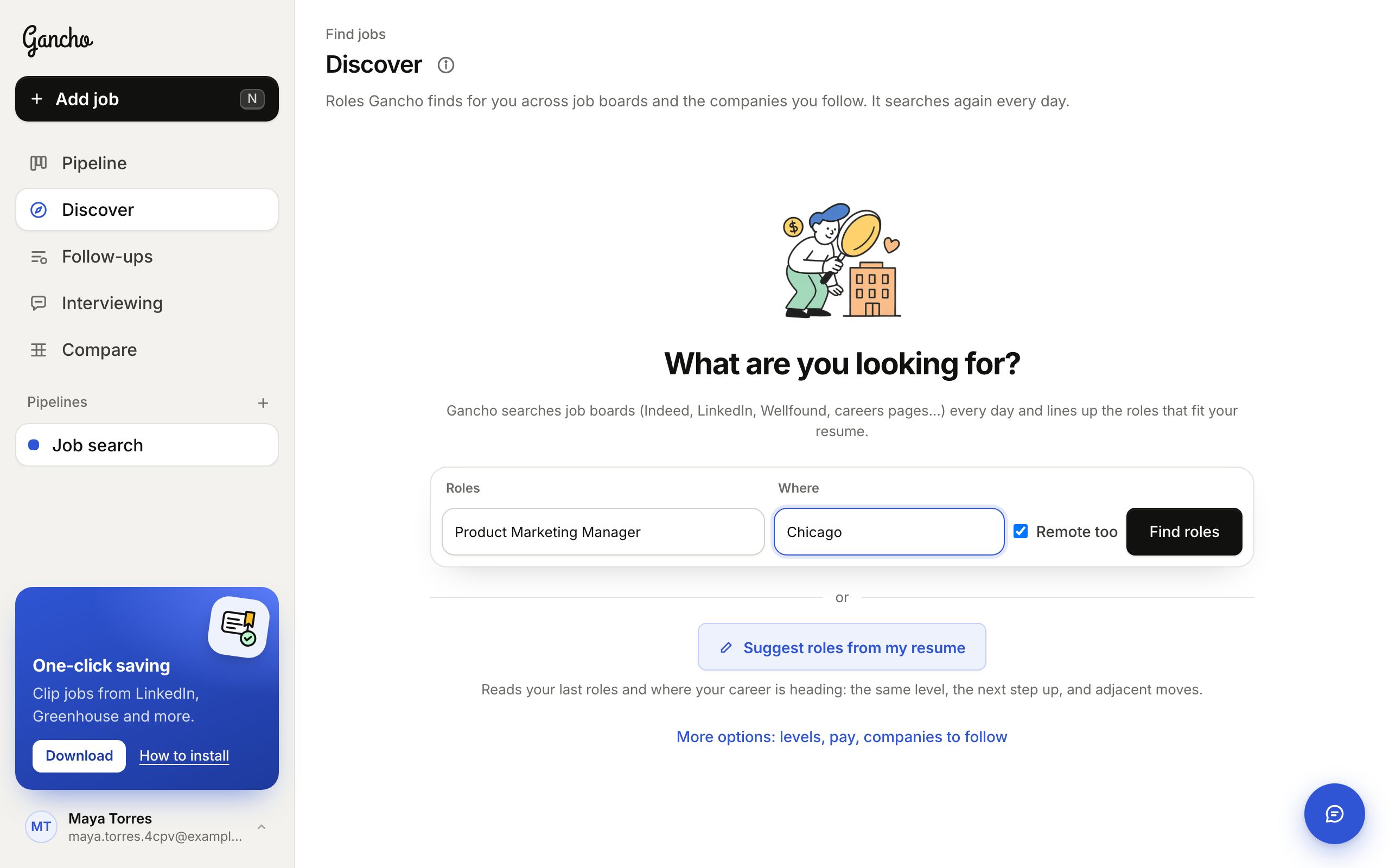
- Type the roles you want and where, or click Suggest roles from my resume.
- Click Find roles. Your first matches arrive within a minute, and you can leave the page while they do.
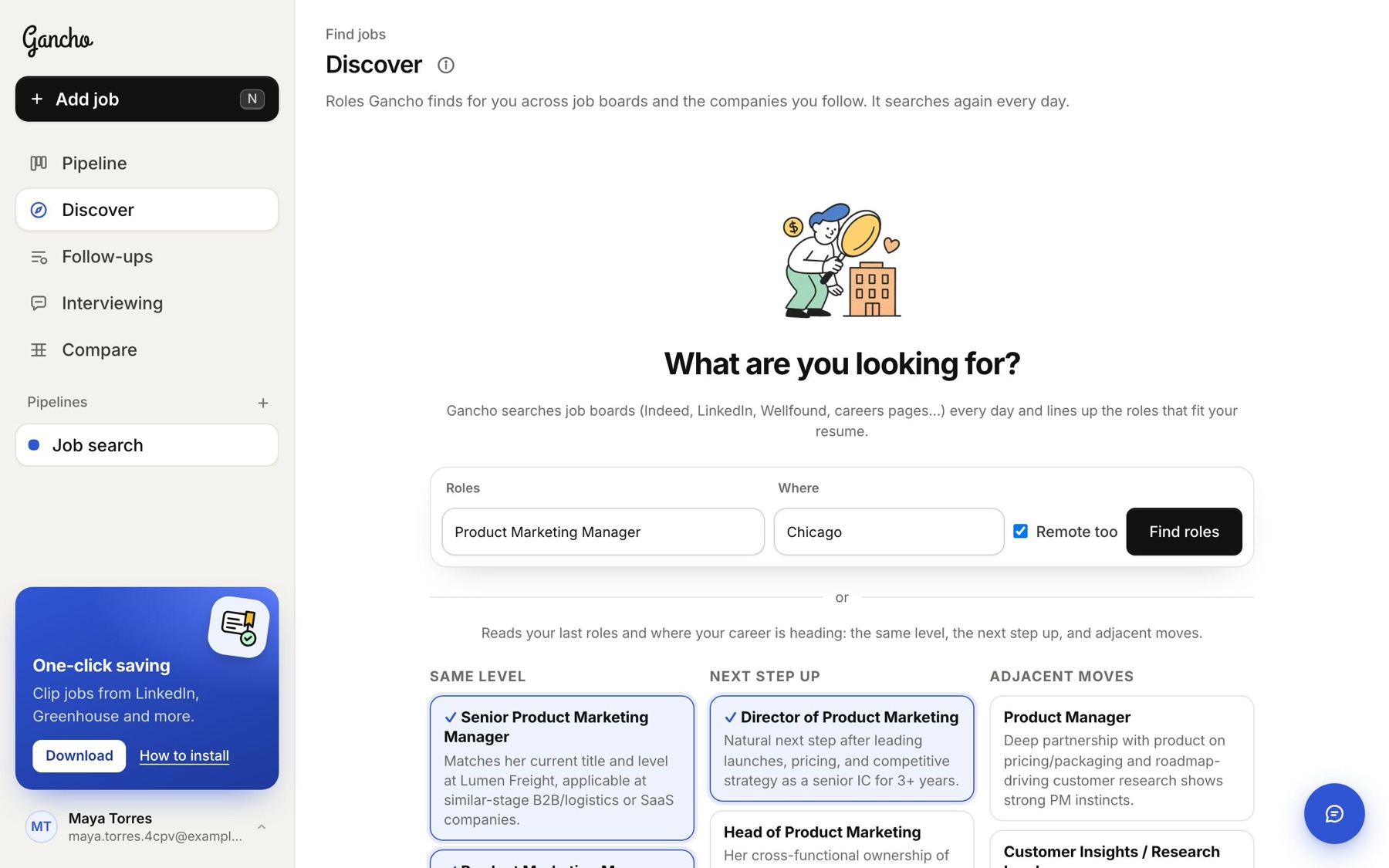
Roles that fit where you're headed
Suggest roles from my resume reads your recent roles and where your career is going, then suggests roles at your level, the natural next step up, and adjacent moves your experience carries into. Click the ones you want, then Find these roles.
For you
The For you tab holds the roles Gancho picked for you, each scored against your resume. A card shows the company's logo, the role, a fit score, one line on why it fits, the pay when it is known, and whether the posting is still open. Three buttons: Save to pipeline (it lands in your pipeline and research starts), Not for me (pick a reason and it learns what to skip) and Open posting.
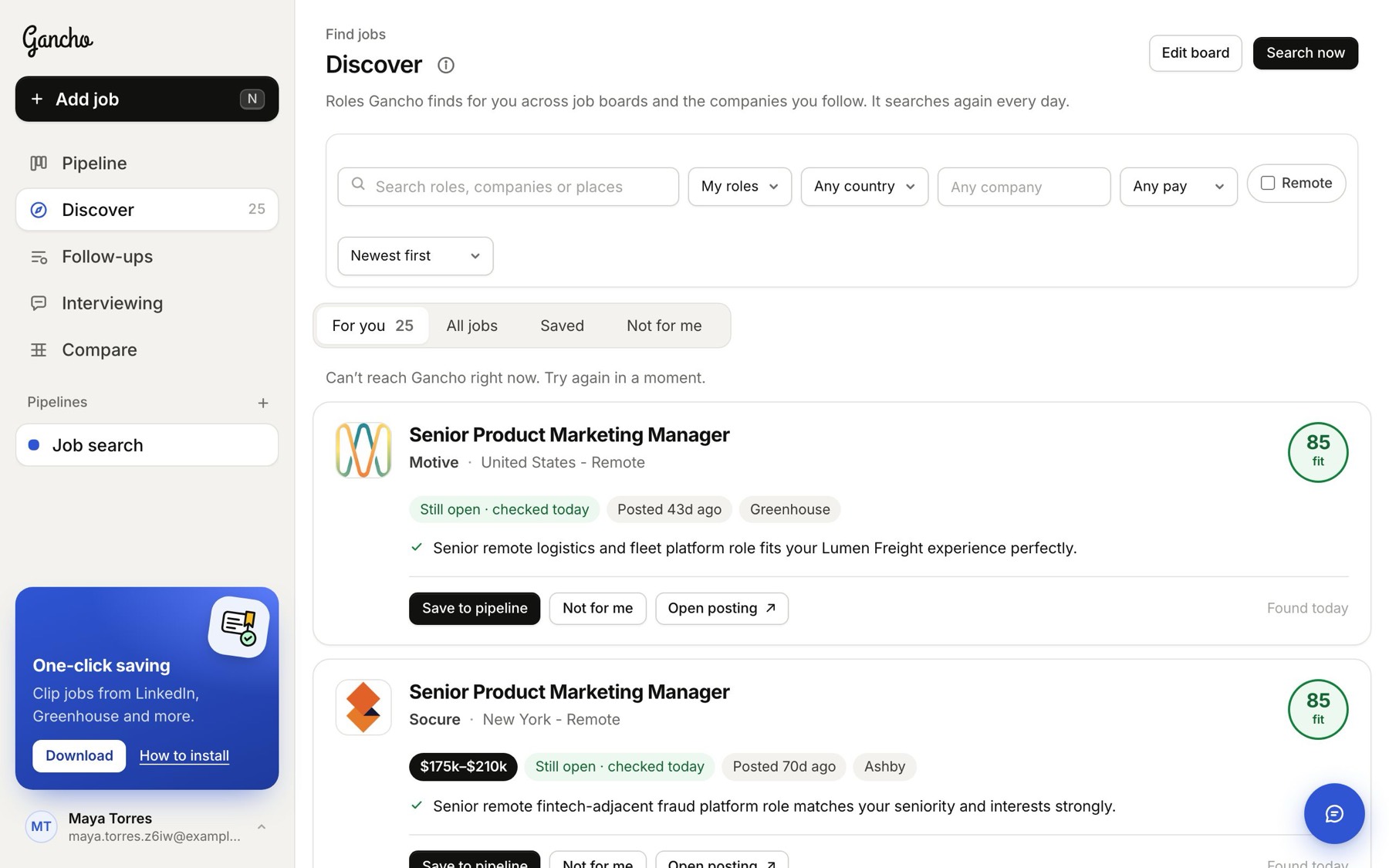
Pay always shows with a $ sign. Canadian and Australian pay add the currency, like $120k–$150k CAD, so you never mix them up with US dollars.
All jobs
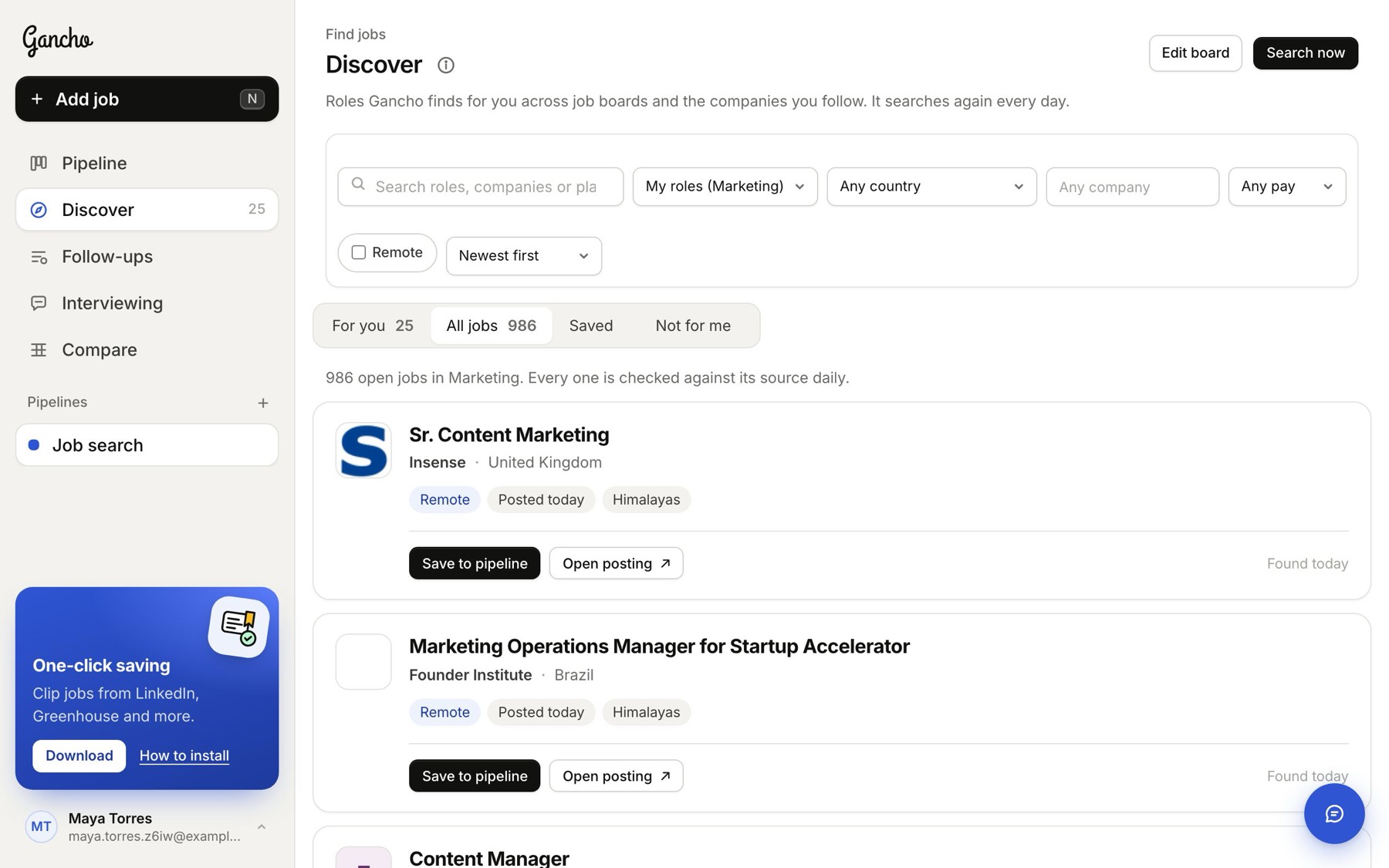
The All jobs tab is every open job in Gancho's database: over 20,000 roles from company hiring feeds and open job boards. A job counts as open for as long as its source lists it, and each one is checked against its source every day. It starts with jobs like the roles on your board. Save to pipeline works here too, and Show more at the bottom loads the next 40.
Search and filter
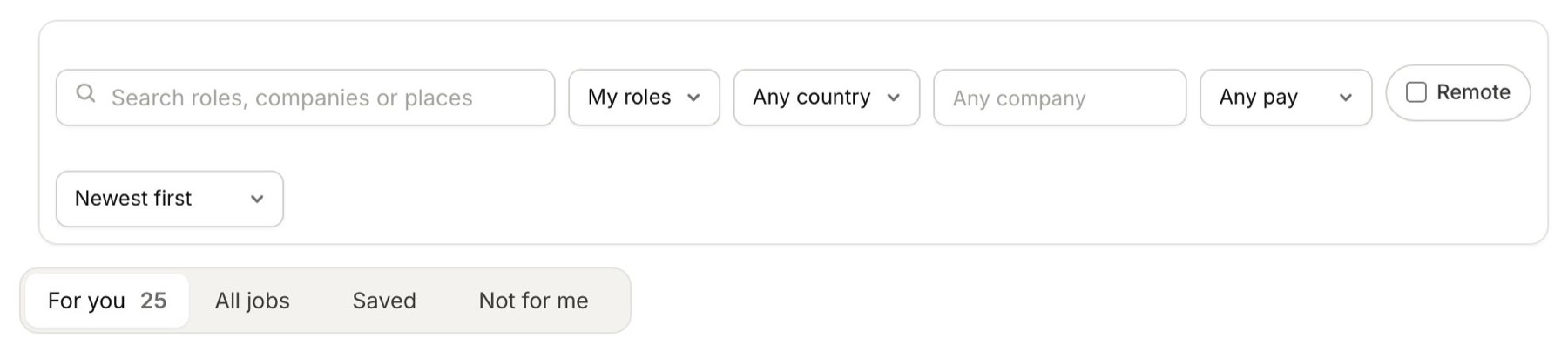
The bar at the top works on both tabs: a search box, then role type, country, company, minimum pay, Remote and the sort order. Searching and filtering jobs →
Saved and Not for me
Saved lists the matches you sent to your pipeline. Click Saved ✓ Open to go to the job. Not for me lists the ones you passed on, with your reason. Click Put back if you change your mind.
More matches, sooner
Gancho looks for new matches every day. Search now looks again straight away, and Search the web too, under the tabs, adds roles from the wider web on top of the database.
Fine-tune your board
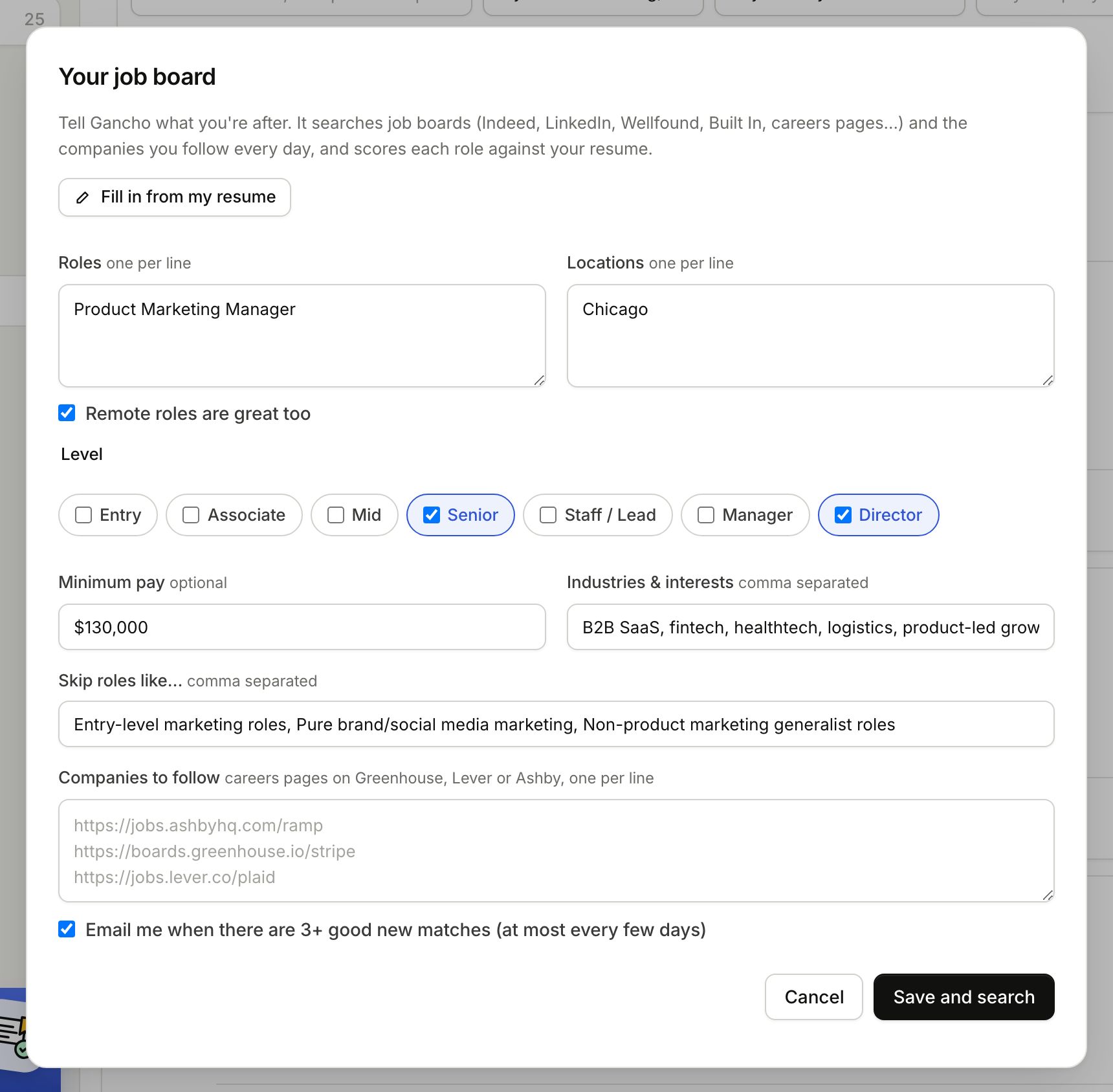
Edit board sets roles, places, levels, minimum pay, industries, deal-breakers and companies to follow. Paste a Greenhouse, Lever or Ashby careers link and every new matching role there shows up. You can also get an email when 3 or more good matches arrive (at most every few days). Save and search looks again straight away.