How it works
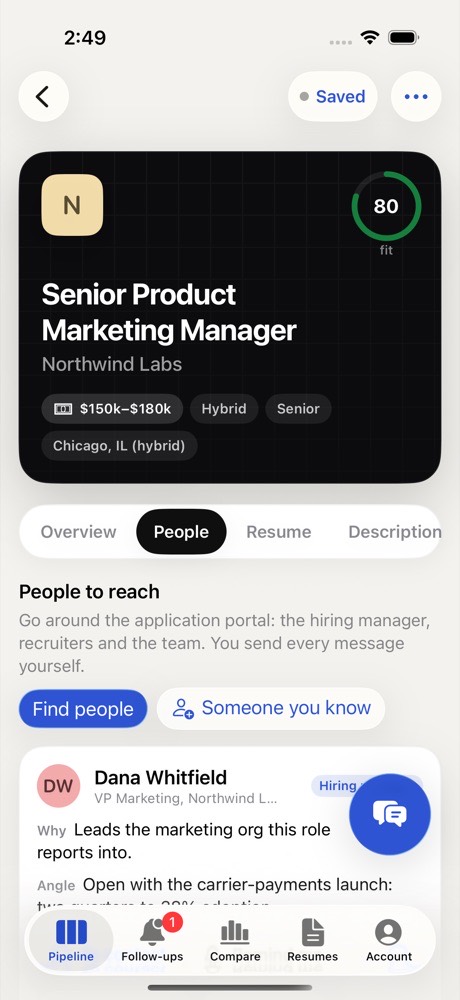
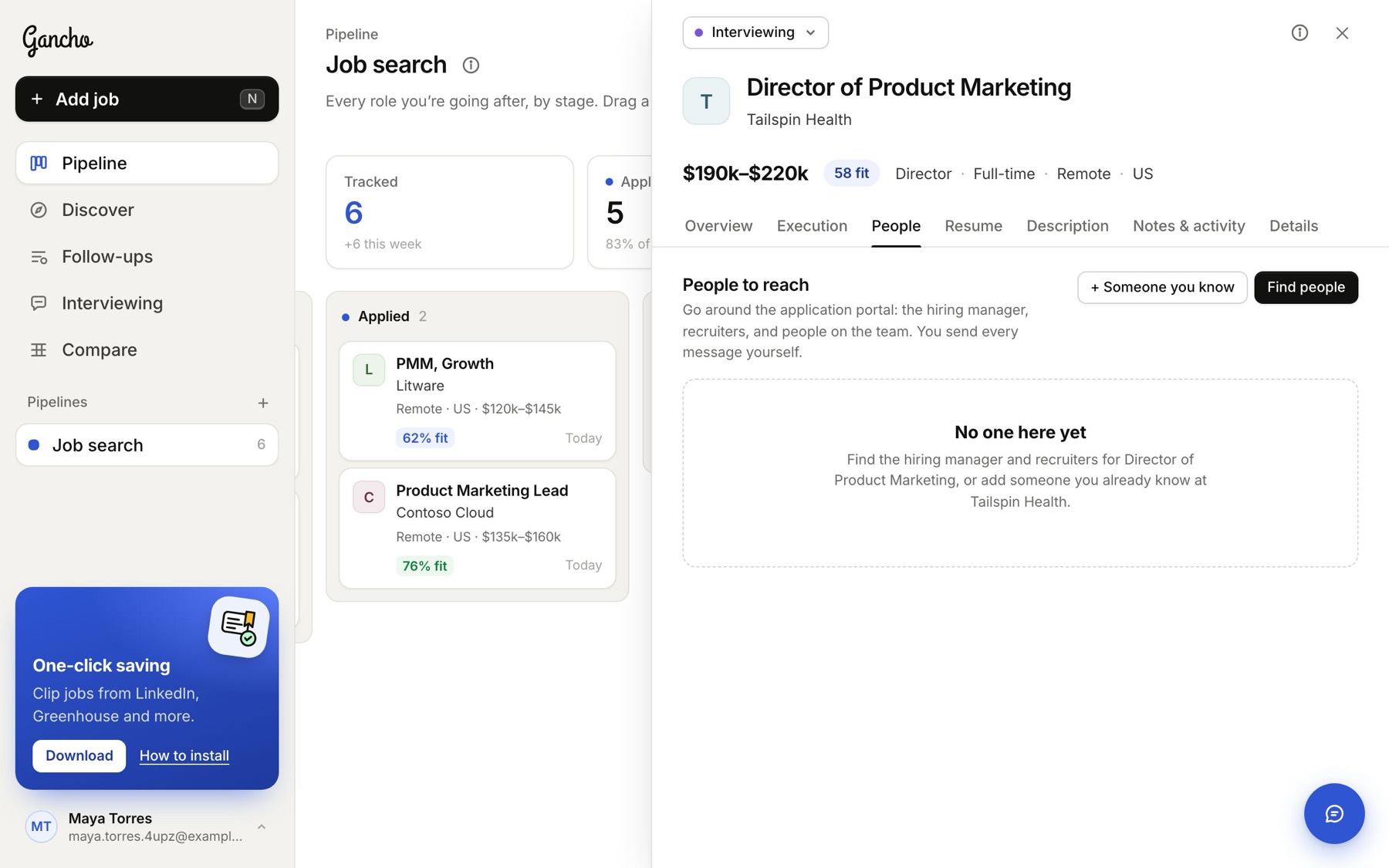
- Open a job and go to People.
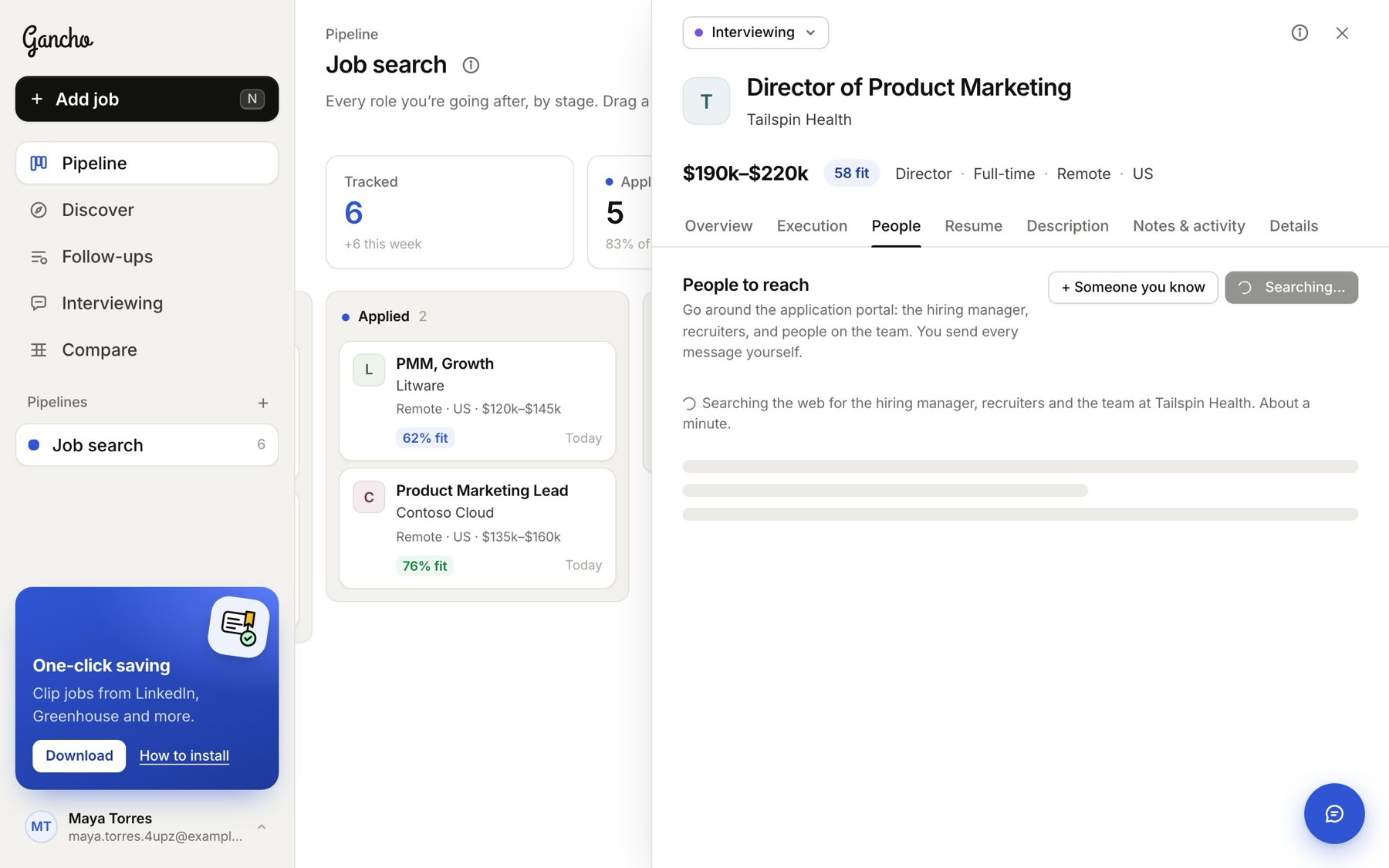
- Click Find people. Gancho searches the web for the hiring manager, the recruiters and people on the team. It takes about a minute. Keep working; it fills in when it is done.
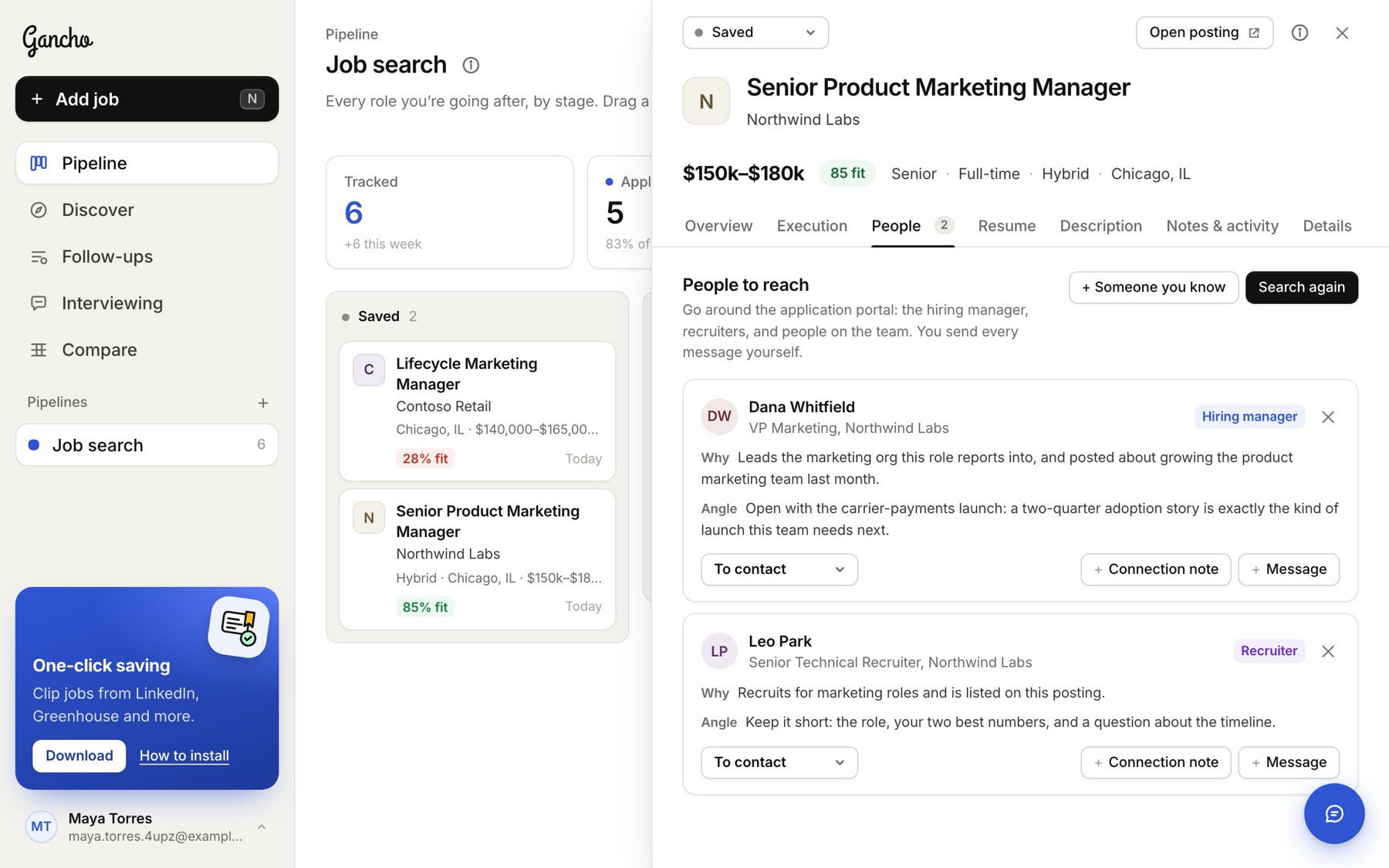
- Read who it found: each person has Why they matter for this job and an Angle: the thing to open with.
Verify
Anyone marked Verify was found on thin evidence. Open their profile (click the name) and check they are still in that role before you write.
Someone you already know
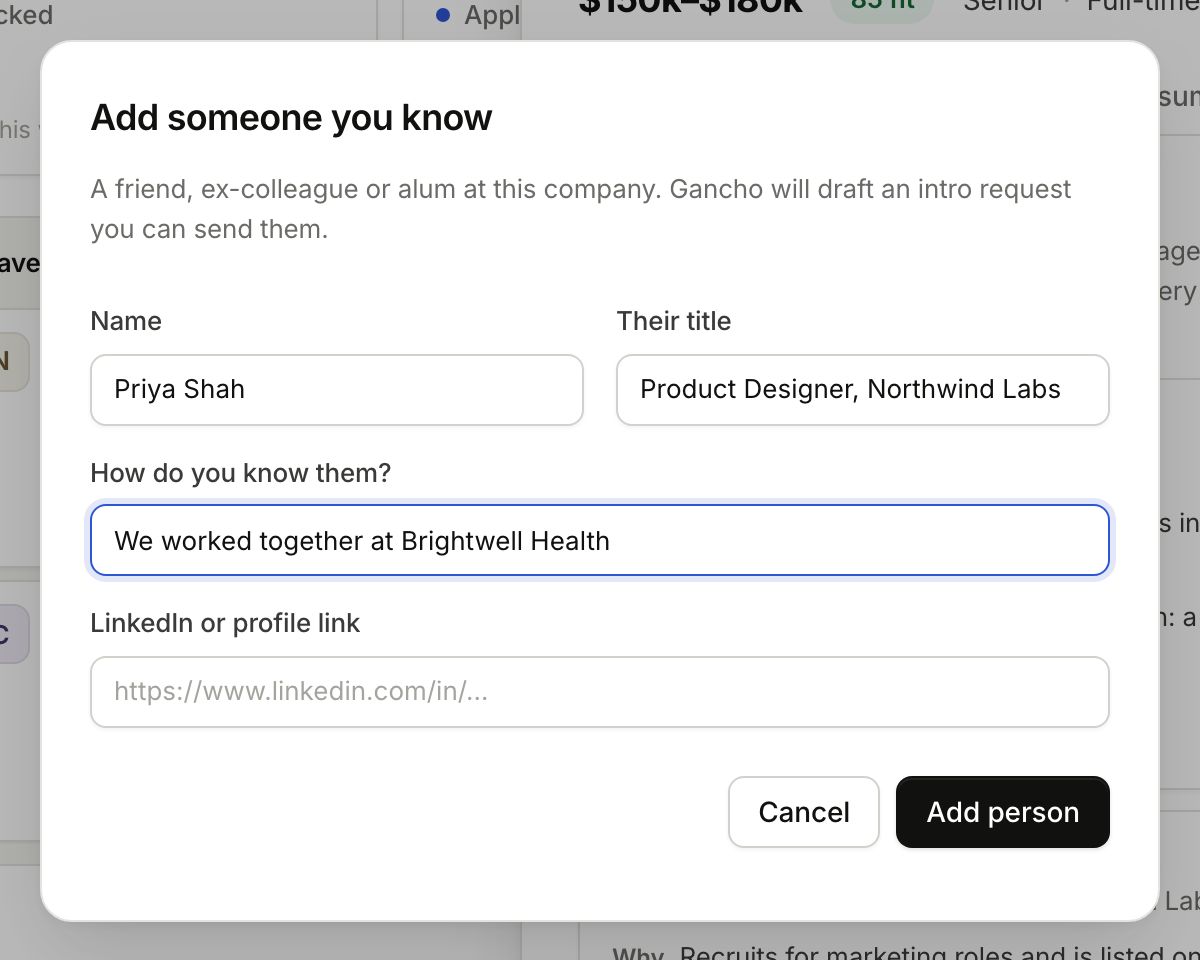
- Click + Someone you know.
- Add their name, title, a profile link if you have one, and how you know them.
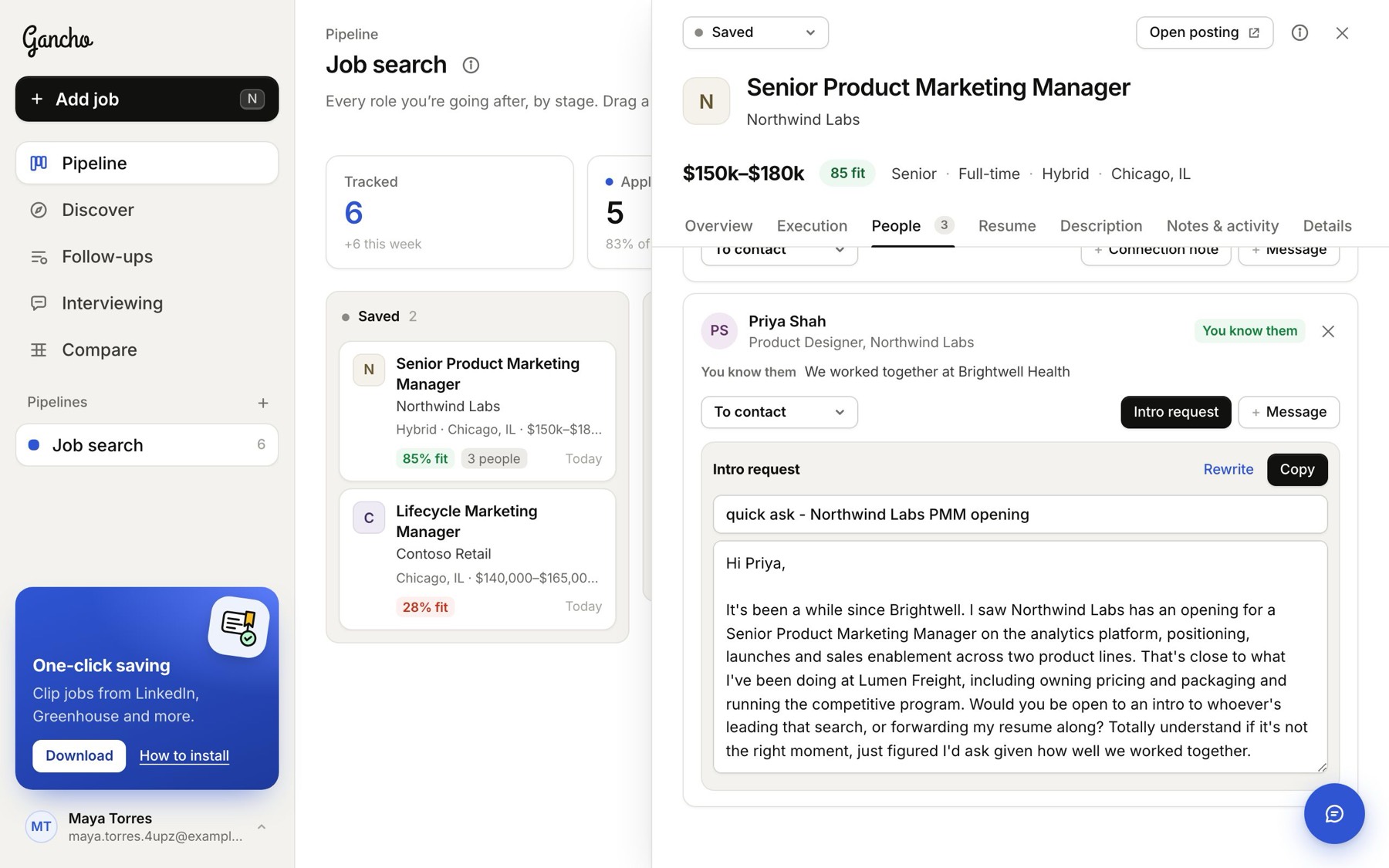
- Click Add person. Gancho writes an intro request to them straight away.
More on LinkedIn
Under the list, Find more on LinkedIn has ready-made searches for that company and role.
Next: writing to them →
In the app