Editing
- Open the job. To fix the title or company, click it at the top of the panel and type.
- For everything else, go to Details: location, pay, link, pipeline and the description. It all saves as you go.
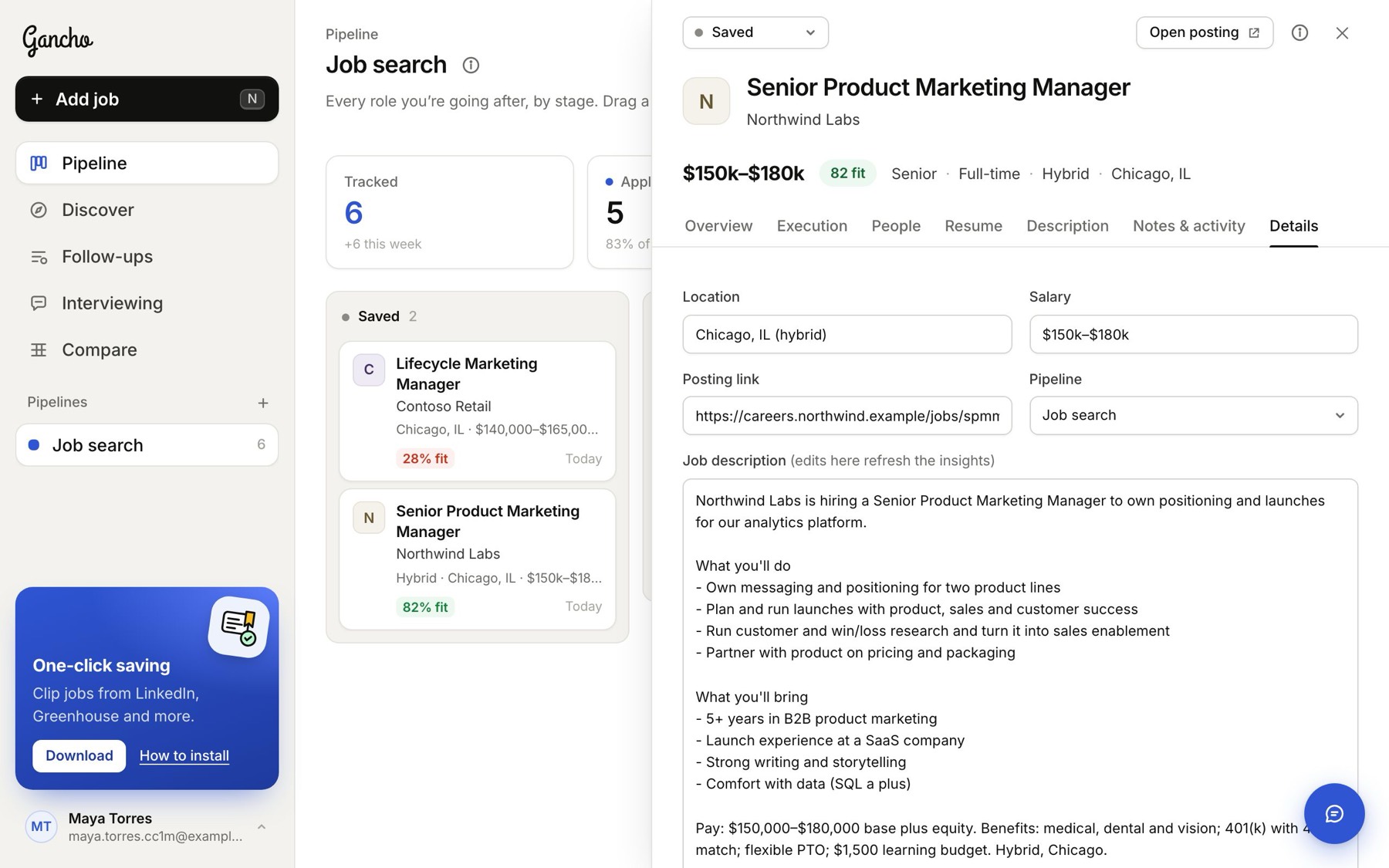
Changing the job description refreshes the research, so the fit score and requirements follow the new text.
Moving it to another pipeline
On Details, pick a different Pipeline.
Deleting
- Scroll to the bottom of Details.
- Click Delete job and confirm.

This removes the job, its people, its execution plan and its tailored resume. It cannot be undone.
In the app
Open the job, tap ••• at the top right: Edit details and Delete job are both there.
