Gancho
Get Gancho free

Comparing jobs

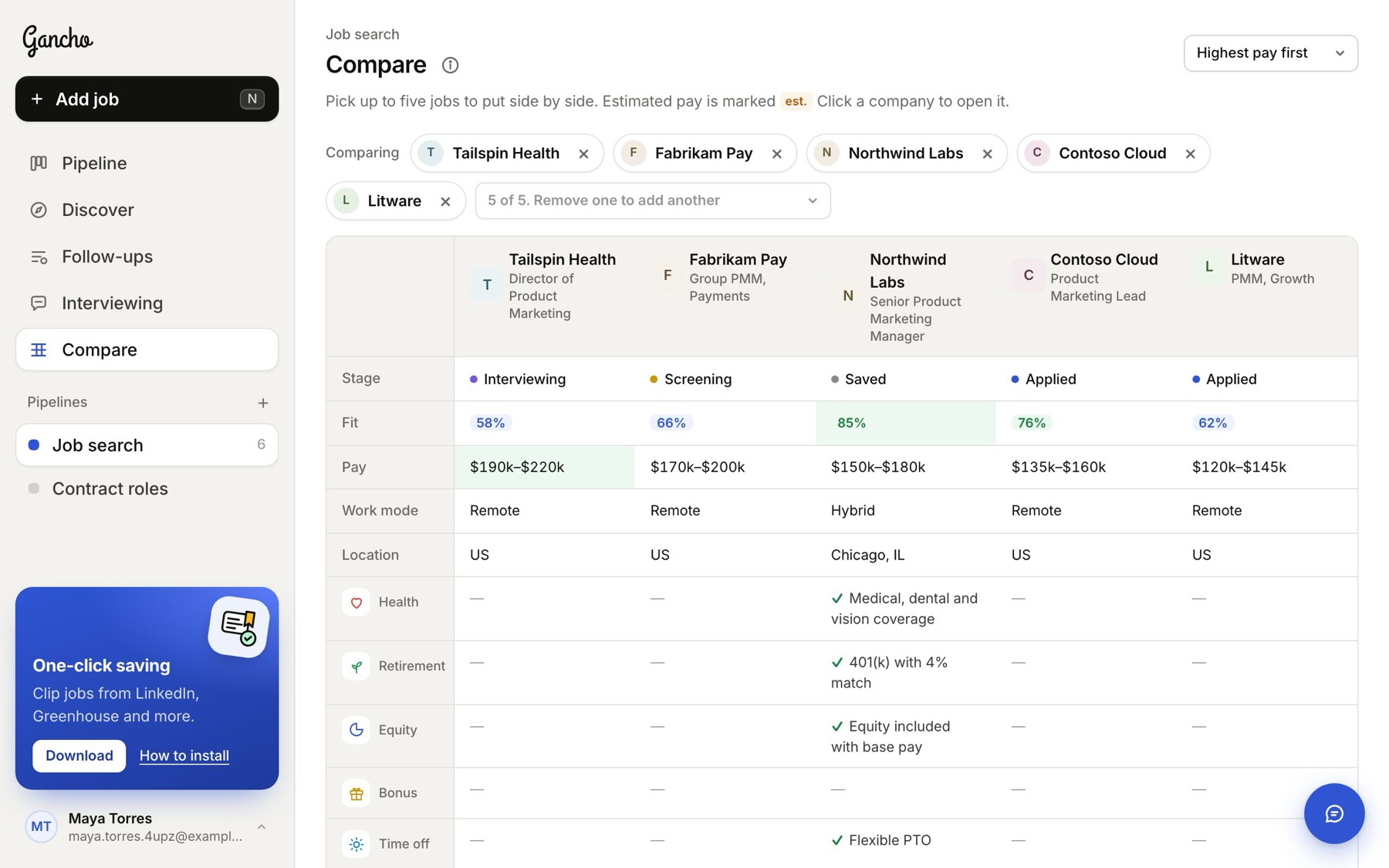
Up to five jobs side by side: fit, pay, work mode, location and benefits, in the order you choose.

1 min read

How it works

  1. Click Compare in the sidebar. It starts with your top five jobs.
  2. Choose which jobs: click × on a company to take it out, and + Add a company to put another in. Up to five at a time.
  3. Pick the order from the menu at the top right: best fit, highest pay, most benefits, or furthest along.
  4. Click a company name to open that job.
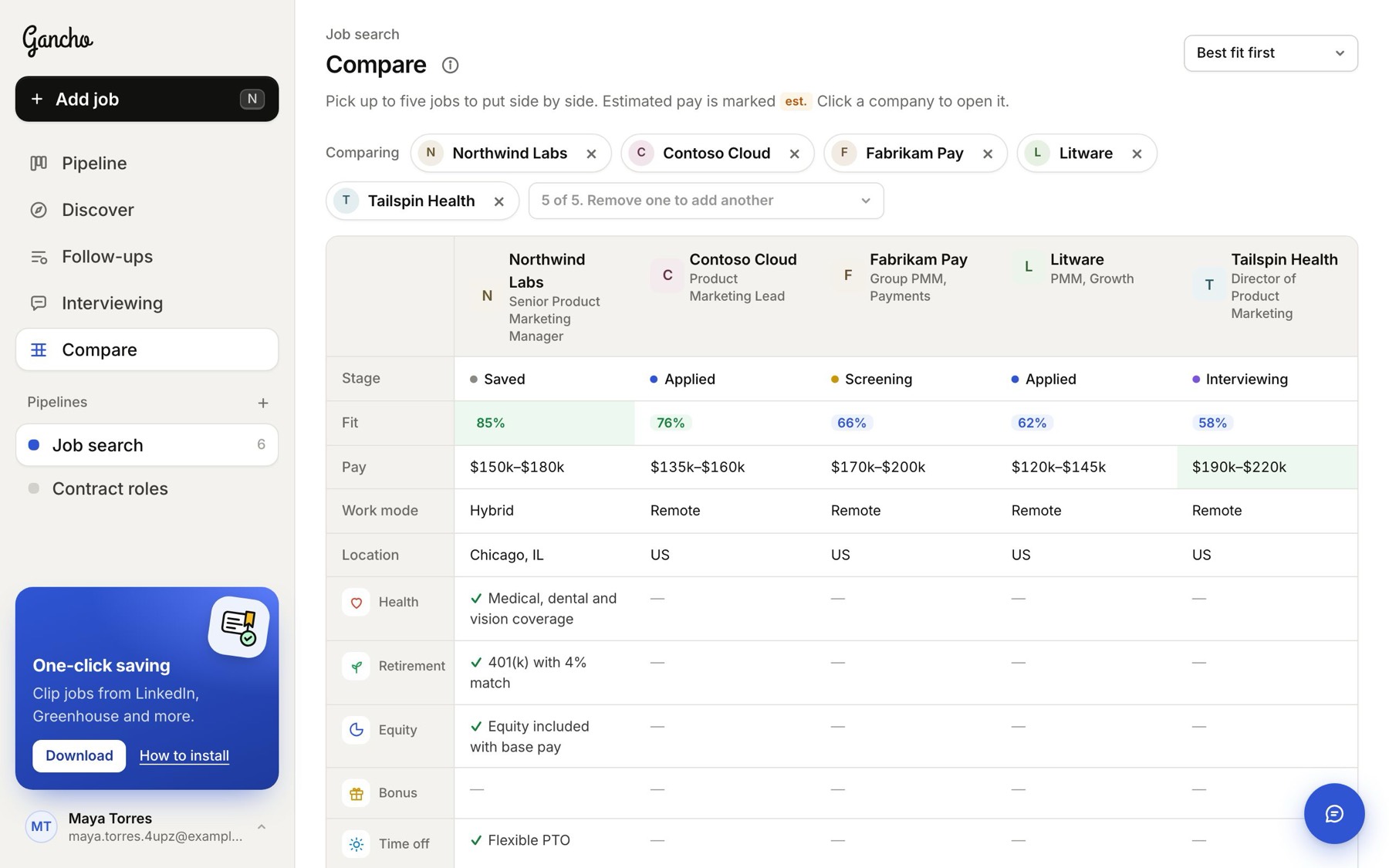
Five jobs side by side, best fit first
Take a job out with ×, and put another in with + Add a company
Highest pay first
Highest pay first

Gancho remembers your picks for each pipeline in this browser.

In the app
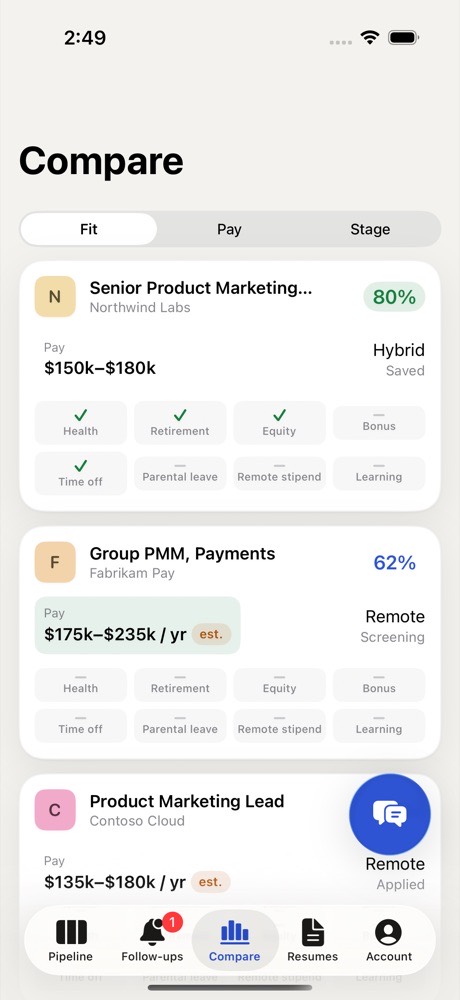
Compare on iPhone
Two friends laughing over a laptop in a café

This didn't answer it?

Ask the coach: the round button at the bottom right of the app. It knows your jobs and your resume, and it can walk you through any of this.

Open Gancho