Real interviews are spoken, so you can practise that way too. Knowing the answer and saying it well are different skills.
How it works
- In a practice interview, click the microphone next to the answer box.
- Talk. Your words appear in the box as you speak.
- Click the microphone again to stop. Fix any word it misheard.
- Press Enter or click Send, the same as a typed answer.
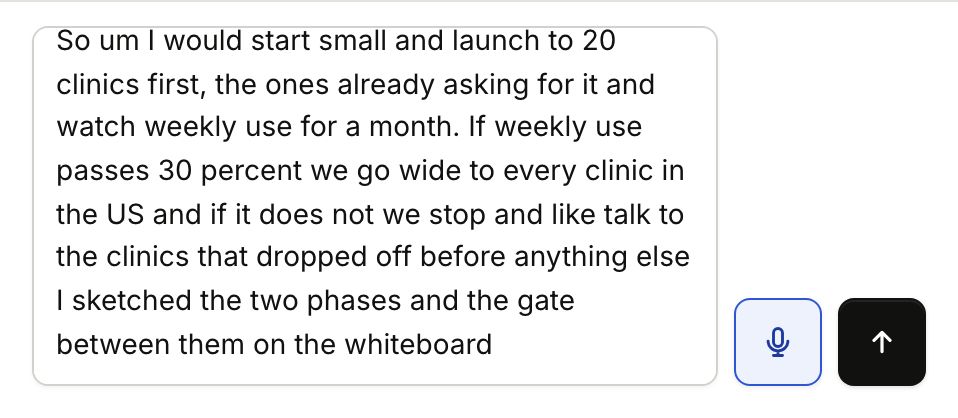
You can mix the two: type a little, speak a little. If you press Enter while it is still listening, it catches your last words first, then sends.
How each answer went
Under each spoken answer, a small line shows how long you spoke, your words per minute and how many filler words you used, for example "33s · 131 wpm · 2 fillers".
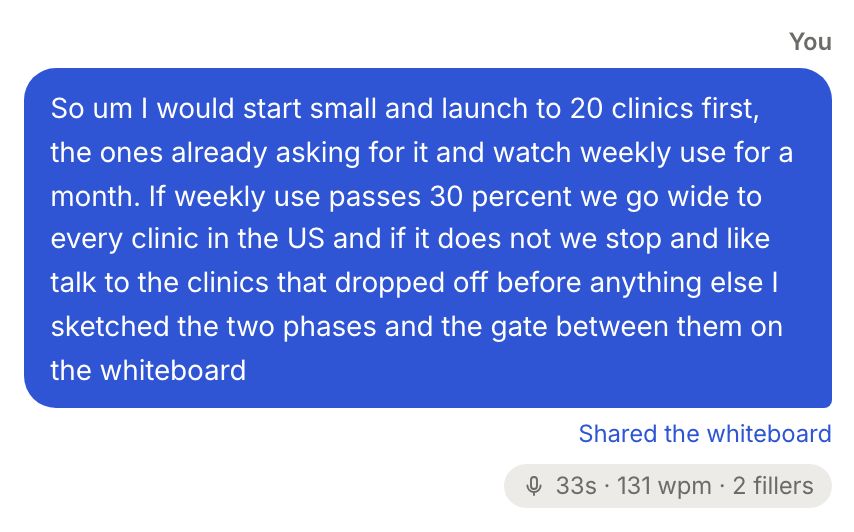
Gancho counts these itself, in your browser: speaking time, pace, long pauses, filler words ("um", "like", "you know"), hedges ("I think", "maybe", "just") and restarts ("sorry", "let me start again").
How you spoke
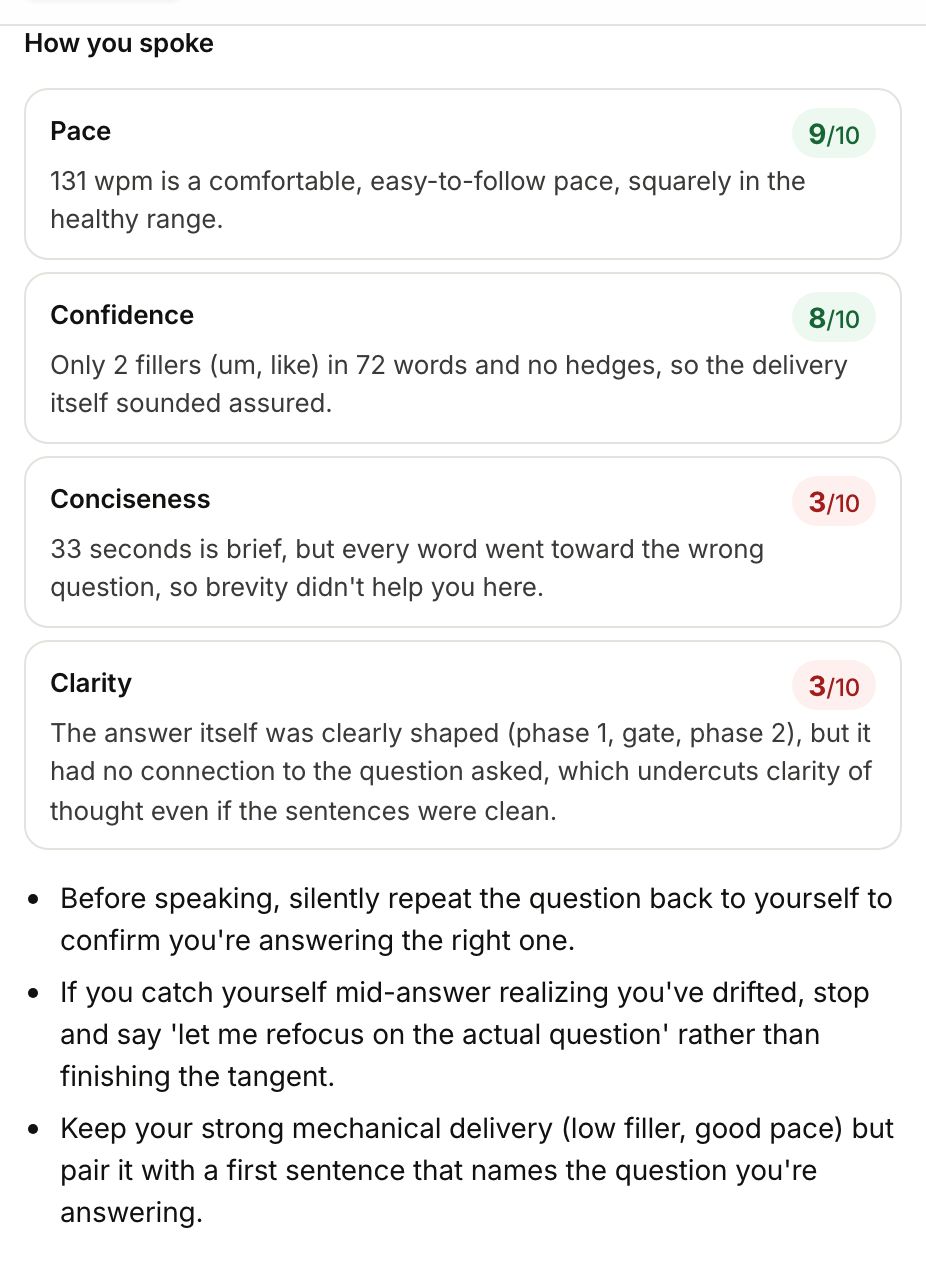
At the end, your feedback adds How you spoke: a score out of 10 for each of these, with the reason in your own numbers.
- Pace and cadence: 140 to 160 words a minute is easy to follow. Under 110 drags, over 175 rushes. Pauses of a second or two are healthy; several over 3 seconds break the flow.
- Confidence: hedges, restarts and fillers. Around 3 fillers a minute or fewer is normal speech.
- Conciseness: most answers should land in 1 to 2 minutes (a design problem can run longer). Did you get to the point, or circle it?
- Clarity: repeated words, restarts, and whether the answer had a clear shape: the point, an example, the result.
Then 2 or 3 tips for next time.
If the microphone does not work
- No microphone button? Speaking works in Chrome, Edge and Safari. In Firefox the button does not show, so type your answers there.
- “Gancho can't use your microphone.” The first time, your browser asks to use the microphone. If you said no, allow it for trygancho.com in your browser's settings.
- “Nothing was heard.” Check the right microphone is selected, then click it and try again.
- It stopped by itself. Browsers stop listening after a long silence. What you said is still in the box; click the microphone to carry on.
Back to practice interviews →
