Gancho
Get Gancho free

Follow-ups on iPhone

The same list, a notification on the day, and your own reminder dates.

1 min read

The Follow-ups tab

Everything due, then this week, later and anytime. The number on the tab counts what is due.
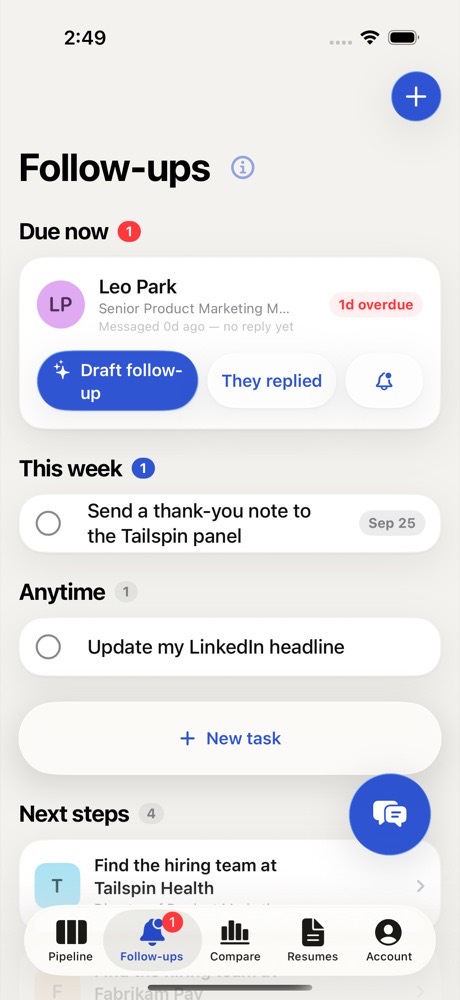
The Follow-ups tab

How it works, in one tap

Tap the ⓘ next to the title for the short version.
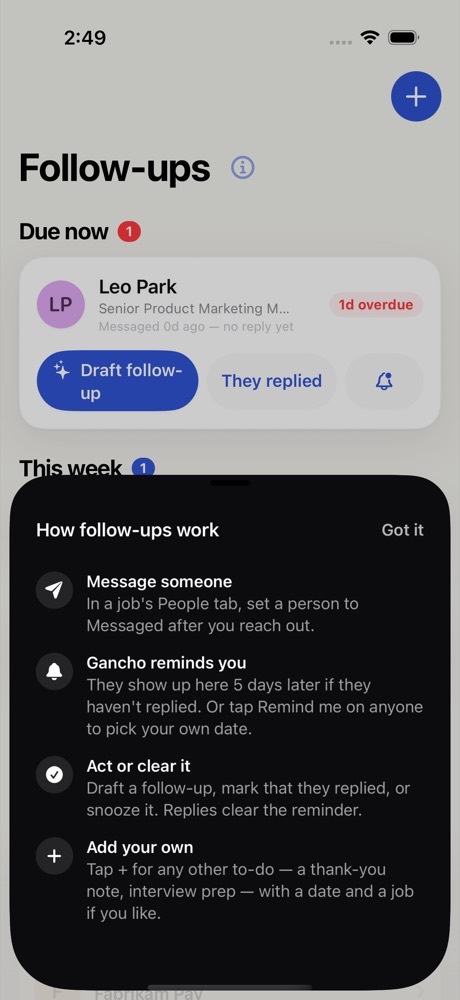
The ⓘ explainer

Notifications

Allow notifications when asked, and Gancho reminds you at 9am on the day a follow-up or task is due.

Your own dates

On any person, Remind me picks a date of your own. Tap + for a task.
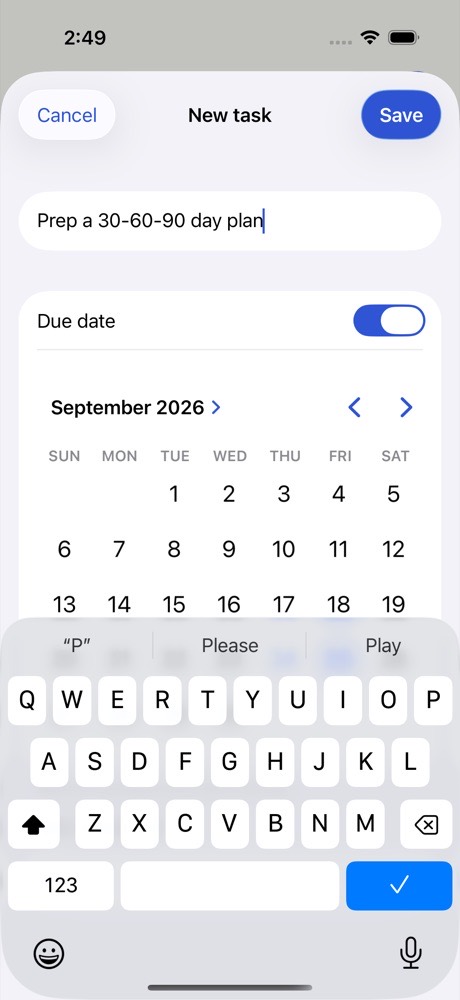
A new task
Two friends laughing over a laptop in a café

This didn't answer it?

Ask the coach: the round button at the bottom right of the app. It knows your jobs and your resume, and it can walk you through any of this.

Open Gancho
